Set network location on stand-alone workstation
The first time you access a computer, you must select the network location. For your server, administration, proctor, and exam delivery workstations to properly communicate, you must set your Network Location as a Private network. You must do this on all workstations where the VUE Testing System will be installed.
|
Failure to select the Private network location will prevent the VTS applications from running, because the Operating System starts a firewall application that prevents communication between the systems. |
 Caution
- You must verify that the network location is set as a Private network in the Network and Sharing Center dialog box.
- Type Control Panel in the Search field next to the Windows Start button and hit Enter on the keyboard.


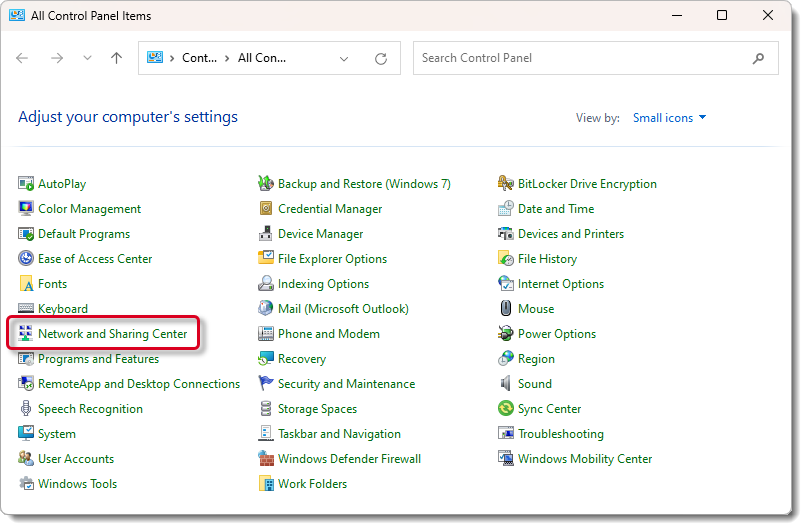
- Select Network and Sharing Center.
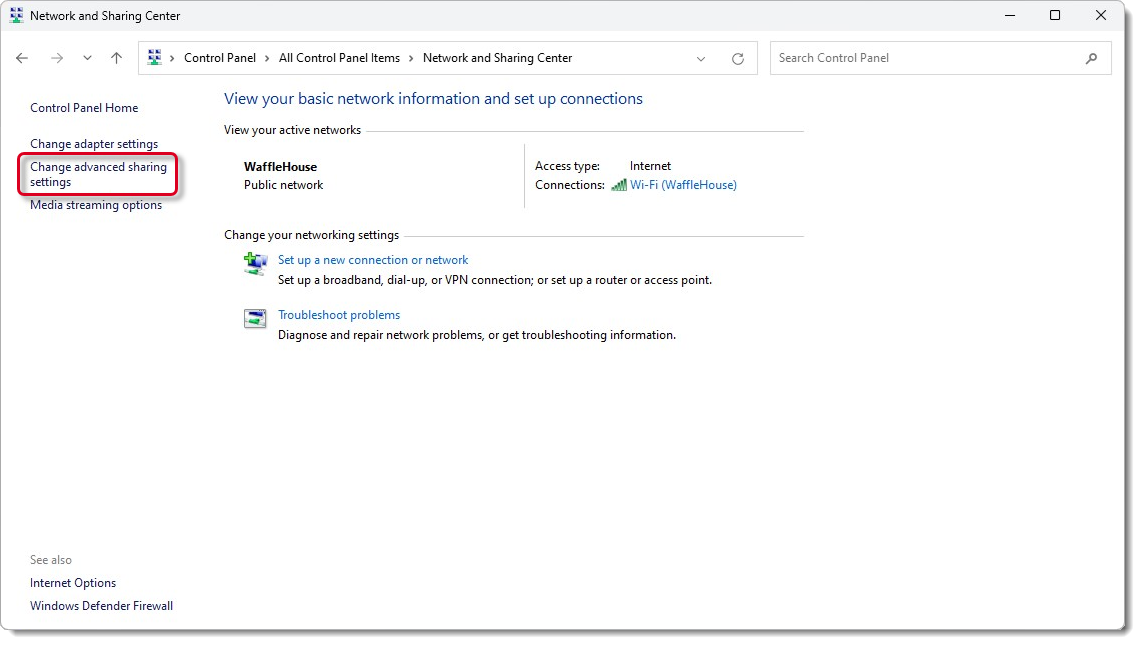
- Select the Change advanced sharing settings link.
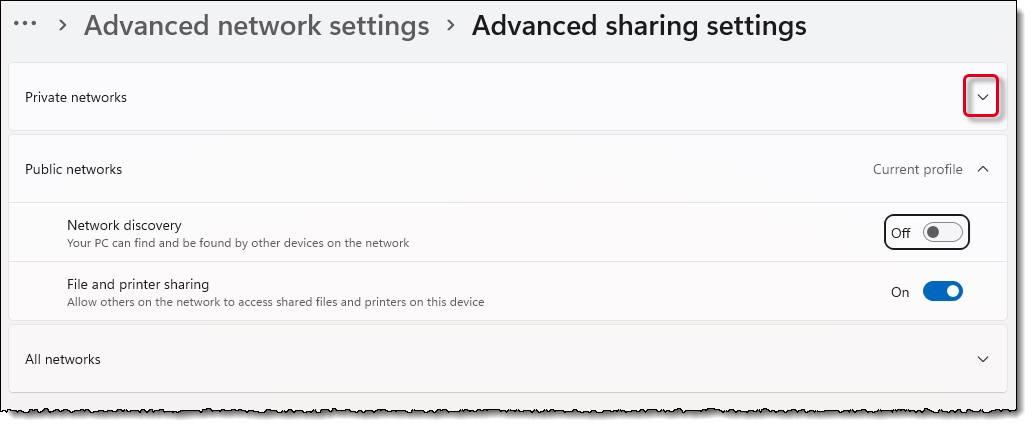
- Expand the Private networks location.
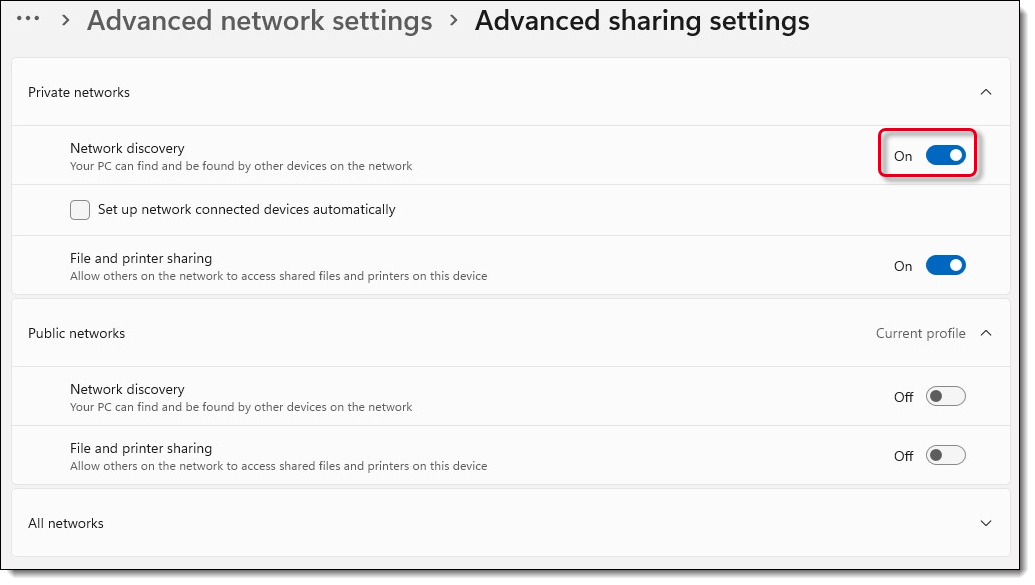
- Set Network discovery to On.
- Select Close.
- Close the Network and Sharing Center dialog box.
|
What is next? |
Pearson Proprietary and Confidential